


Malware targets Android phones to access banking information and other sensitive data
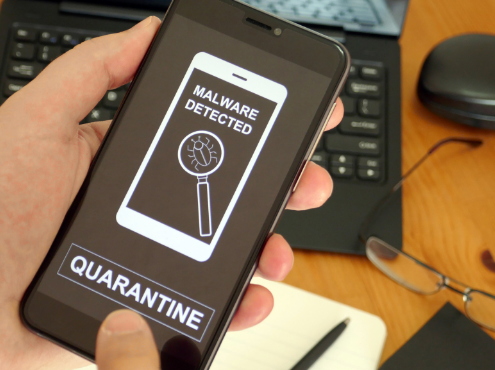
The latest tactic involving malware targets Android phones to access banking information and other sensitive data. Cybersecurity firm Cyble has identified a new malware called Antidot, which disguises itself as a Google Play update application. This malware presents fake Google Play update pages in multiple languages to capture confidential information.
According to Cyble, Antidot is a Trojan—a type of malware that deceives users about its true intent by appearing as a legitimate program. In this case, it pretends to be the Google Play Store, the primary platform for downloading and updating Android apps, to steal important data.
Antidot infiltrates Android devices by tricking users into sideloading it as an APK (Android Package Kit). APK files are the format used by Android for distributing and installing applications. Sideloading involves manually installing an APK file not obtained through the Google Play Store, often from third-party app stores or dubious sources.
The malware can also spread through phishing emails and text messages. For instance, you might receive an email claiming you’ve won a prize and clicking the link either does nothing or leads to a dummy site, but the malware is silently downloaded and installed on your phone.
How the Antidot Trojan Works
Once installed, Antidot displays a fake update page with a “Continue” button that directs you to the Accessibility settings. It exploits these services to gain full control of your phone. The trojan shows fake update pages in various languages, such as German, French, Spanish, Russian, Portuguese, Romanian, and English, indicating a broad target audience.
After accessing your phone’s Accessibility settings, Antidot can collect contacts and messages, harvest credentials, lock and unlock the device, and forward calls.
To steal passwords and other credentials, Antidot uses overlay attacks. When you open your banking app, the malware loads a fake website resembling the bank’s app and covers it. When you enter your login details, the hackers capture them. If a fake website isn’t available, Antidot employs keylogging to record everything you type, including passwords.

Ways to Protect Yourself from the Android Banking Trojan
Be Cautious of Phishing Attempts: Stay vigilant about emails, calls, or messages from unknown sources asking for personal information. Avoid clicking on suspicious links
Install Strong Antivirus Software: While Android’s built-in Play Protect offers some protection, it’s not foolproof. Having antivirus software can protect you from malicious links and alert you to phishing emails and ransomware scams.
Download Apps from Trusted Sources: Only download apps from reliable sources like the Google Play Store, which has strict checks to prevent malware. Avoid unknown websites or unofficial stores.
Use Identity Theft Protection Services: These services monitor your personal information and alert you if it’s being sold on the dark web or used to open accounts. They can also help freeze your bank and credit card accounts if needed.
Monitor Your Accounts: Regularly review bank and credit card statements for unauthorized activity. Report any suspicious transactions immediately to your financial institution.
Enable SMS Notifications for Bank Accounts: This allows you to monitor your accounts for unauthorized transactions in real-time.
Set Up Two-Factor Authentication (2FA): 2FA adds an extra layer of security to your accounts, making it harder for hackers to gain access.
Use a Password Manager: Password managers help create and store strong, unique passwords for all your accounts, reducing the risk of password theft.
Regularly Update Your Device’s OS and Apps: Updates often include security patches for vulnerabilities that could be exploited by malware.
Be Wary of Granting Permissions: Carefully review app permissions. If an app requests more access than necessary, it could be a red flag.
Staying ahead of cybercriminals is an ongoing challenge. The emergence of the Antidot trojan highlights the need for constant vigilance and proactive measures. Protecting our digital existence requires scrutinizing app permissions, embracing robust security solutions, and remaining alert to potential threats. By following these protective measures, we can fortify our defenses and make it harder for scammers to succeed.